Managing virtual meeting time effectively has become a critical skill in the current landscape of remote work. As organizations operate with team members dispersed across various locations, the ability to conduct efficient and productive virtual meetings is not just desirable—it’s essential. Ensuring that these meetings are well-structured and time-conscious can result in significant benefits for all participants, including heightened engagement, better decision-making, and optimal use of everyone’s time.

The crux of effective virtual meetings lies in the approach taken before, during, and after the session. Preparing a clear agenda, setting expectations, and choosing the right technology can pave the way for a smooth and successful meeting. Meanwhile, during the meeting, facilitation techniques to keep participants engaged and on topic are paramount. After the meeting, timely follow-ups and feedback can help solidify the outcomes and assist in continuous improvement for future sessions. Adhering to these methods not only enhances the quality of virtual meetings but also ensures that time is managed wisely, allowing team members to maintain productivity in their remote work environments.
Key Takeaways
- Preparation, execution, and follow-up are key to managing virtual meeting time.
- The right technology and engagement strategies improve meeting productivity.
- Effective meetings bolster team efficiency within remote work frameworks.
Setting the Stage for Effective Virtual Interactions

To harness the full potential of virtual meetings, attention to the initial setup is crucial. By clearly defining the meeting’s objectives, creating a comprehensive agenda, and establishing firm ground rules, you set the foundation for a productive and focused virtual environment.
Understanding the Importance of Clear Objectives
Clear objectives provide a roadmap, ensuring that every participant understands the goals of the meeting. They are vital for aligning group efforts and keeping discussions targeted. These objectives should be communicated beforehand to prepare participants adequately and assure that the time spent in the meeting is directed towards achieving concrete outcomes.
Developing and Communicating a Detailed Agenda
A detailed agenda should outline the specific topics to be discussed, allocate time slots for each item, and assign roles or presenters where applicable. This helps to maintain the meeting’s flow and keeps participants engaged. Before the meeting, distribute the agenda to allow attendees to prepare for their contributions, positively impacting the overall effectiveness of the collaboration.
Establishing Ground Rules and Meeting Etiquette
Set clear ground rules and define proper etiquette to foster a respectful and constructive virtual meeting space. Ground rules might include keeping microphones muted when not speaking, using the ‘raise hand’ feature to address the group, and minimizing background noise. Proper online meeting etiquette calls for active participation and maintaining a quiet environment to facilitate seamless collaboration.
Leveraging Technology for Enhanced Collaboration

In the realm of virtual meetings, the adept use of technology can significantly enhance collaborative efforts. By choosing robust platforms, preemptively managing technical issues, and capitalizing on shared digital tools, teams can create a more connected and productive virtual workspace.
Choosing the Right Virtual Meeting Technology
When selecting virtual meeting technology, one must consider the specific needs of the team and the project. Tools like Zoom, Google Meet, and Skype offer rich video conferencing features, but their suitability varies. For example, Zoom is renowned for its high-quality video and user-friendly interface, making it a popular choice for large meetings. On the other hand, Google Meet integrates seamlessly with other Google Workspace tools, providing convenience for those already using Google’s suite of services. Criteria for selection should include:
- Video and audio quality: crucial for clear communication.
- User interface: should be intuitive for all team members.
- Integration: with other tools such as shared calendars and file-sharing services.
- Bandwidth requirements: especially important if team members have low bandwidth connections.
Addressing Technological Glitches Proactively
No technology is immune to technological glitches, but proactive measures can minimize disruptions. Teams should:
- Conduct pre-meeting tech checks to ensure all systems are operational.
- Have an IT support system in place for rapid response to issues.
- Provide training on troubleshooting common issues such as reconnecting dropped calls or resolving audio problems.
By preparing for potential issues, teams can maintain meeting flow and reduce time wasted on technical difficulties.
Utilizing Screen Sharing and Shared Calendars
Screen sharing is a critical feature for collaboration, allowing team members to present data, demonstrate software, or guide colleagues through documents in real time. It’s important to:
- Ensure all participants know how to use screen sharing features effectively.
- Establish guidelines on what can be shared, maintaining confidentiality and data privacy.
Shared calendars, meanwhile, facilitate the coordination of meeting times and deadlines. They should be leveraged to:
- Schedule meetings without conflicts.
- Provide visibility into team members’ availability.
- Set reminders for upcoming events to enhance punctuality.
By effectively utilizing these tech tools, teams can ensure that everyone is on the same page and that meetings are both effective and efficient.
Enhancing Participant Engagement and Productivity
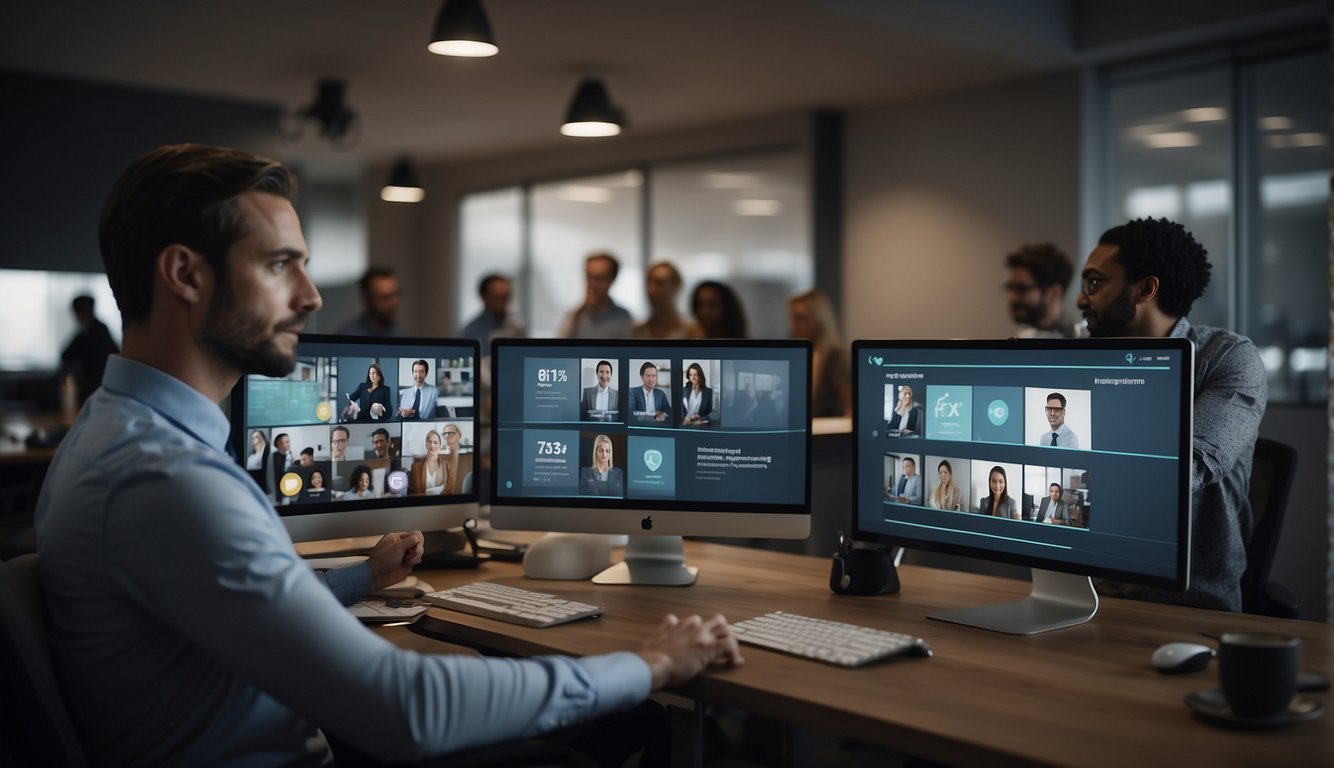
Maximizing participant engagement and productivity in virtual meetings hinges on effective facilitation, problem-solving, and ensuring that next steps are well-defined and followed up on. This not only involves the use of interactive tools but also requires thoughtful planning and leadership.
Facilitating Participation and Feedback
Leaders can elevate engagement by assigning meaningful roles to participants, ensuring that everyone can contribute to the discussion. Providing an agenda ahead of time allows participants to prepare, increasing the likelihood of valuable feedback. Techniques such as quick polls or interactive quizzes can serve to measure pulse points throughout the meeting, keeping engagement high and gathering real-time feedback.
Example Agenda:
- Welcome and Roll Call (5 mins)
- Presentation of key topics (20 mins)
- Interactive polling (10 mins)
- Open discussion and feedback (15 mins)
- Summarization and action items (10 mins)
Conducting Effective Problem-Solving Sessions
Problem-solving sessions benefit significantly from structured approaches that are inclusive and collaborative. Encouraging the use of a shared digital whiteboard facilitates the visualization of problems and possible solutions. Leaders should encourage every participant to voice their thoughts, fostering a sense of collaboration. Breakout rooms can be utilized for small group discussions, allowing for more focused brainstorming before bringing ideas back to the larger group.
Problem-Solving Framework:
- Define the Problem
- Generate Potential Solutions
- Evaluate Solutions
- Decide on Plan
- Assign Responsibility for Implementation
Implementing Follow-Up Mechanisms for Next Steps
Ensuring that meetings result in actionable outcomes is critical for maintaining productivity post-session. After the virtual meeting, leaders should distribute minutes promptly, highlighting decisions taken and next steps with clearly assigned responsibilities. Tools like shared task managers can track progress, and scheduling brief follow-up meetings can help keep everyone on track and accountable.
Action Items Template:
- Task
- Responsible Person
- Deadline
- Notes
By integrating these strategies, leaders can make virtual meetings not only more productive but also more engaging, fostering an environment where every participant is heard, and collaboration drives the collective effort towards meaningful outcomes.
Ensuring a High-Quality Virtual Meeting Experience
To ensure a high-quality virtual meeting experience, individuals must consider the impact of their home environment and utilize effective communication strategies. This includes optimizing the space for professionalism and leveraging both icebreakers and non-verbal cues for enhanced engagement.
Optimizing the Home Environment for Professional Meetings
A professional meeting environment is critical for remote work success. Participants should prioritize minimizing background noise by using a dedicated space away from household activities. If possible, they should use a mute function when not speaking to preserve audio clarity.
- Checklist for Home Environment Setup:
- Location: Quiet, private area away from distractions.
- Background: Tidy, neutral, and professional.
- Technology: Reliable internet, use of headphones to reduce echo.
Taking these steps helps in reducing distractions and conveying a professional image to coworkers and clients.
Utilizing Icebreakers and Non-Verbal Communication
The start of each virtual meeting should be engaging, which can be achieved through well-chosen icebreakers that are respectful of time zones and scheduling constraints. A brief activity related to the meeting’s deliverables can set a positive, collaborative tone.
- Engagement Techniques:
- Eye contact with the camera to simulate in-person interactions.
- Smiles and head nods to affirm understanding without interrupting.
Using such non-verbal communication cues is important to foster a sense of connection among remote team members and to ensure that each participant feels heard and understood. This intentional preparation creates an inclusive atmosphere conducive for collaboration and effective work from home.
Frequently Asked Questions
This section addresses common inquiries related to enhancing efficiency and engagement in virtual meetings, clarifying communication, initiating meetings effectively, sustaining focus, managing technical issues, and selecting optimal platforms.
What strategies can improve participant engagement in virtual meetings?
Engaging participants in virtual meetings can be achieved by sticking to planned timing and actively seeking their input. Encouraging the use of video, when appropriate, helps maintain a connection among attendees and fosters a collaborative atmosphere.
How can you ensure clear communication in online meeting platforms?
To ensure clear communication, one should provide an agenda ahead of the meeting, use visuals to support points made, and summarize key discussions at the end of the meeting. Assigning someone to take notes that can be distributed afterwards aids in maintaining clarity post-meeting.
What are the key steps to take when starting a virtual meeting to guarantee its effectiveness?
Starting a virtual meeting effectively involves a ‘technical startup’ period to address technical issues, setting a clear agenda, and defining the purpose of the meeting. Ensuring everyone is clear on their role and the expected outcomes sets the stage for an impactful session.
In what ways can meeting facilitators maintain focus and control during virtual meetings?
Facilitators can maintain focus by adhering to the agenda, limiting distractions by using mute options judiciously, and engaging participants through questions or polls. They maintain control by guiding the conversation and intervening when discussions veer off-topic.
How can one handle technical challenges effectively during virtual meetings?
Handling technical challenges requires preparation, such as having a co-host to provide backup support and conducting a technical check before beginning. It also helps to provide guidance on troubleshooting common issues and having a plan in place for reconnecting if someone is disconnected.
What guidelines should be followed when choosing a virtual meeting platform to enhance meeting productivity?
When choosing a virtual meeting platform, consider factors like ease of use, integration capabilities, security features, and customer support. A platform that aligns with the meeting’s objectives and the organization’s workflow will contribute to a more productive meeting experience.